
Scanning How-To
How to Download Brother Scanner Software to a Computer
How to download Brother scanner software to a computer: get the driver and iPrint&Scan from Brother's support page, install, and test the scan.
We compare photo, film and document scanners in plain words, and show you how to get clean scans at home. Pick what you have to scan and start there.
How to download Brother scanner software to a computer: get the driver and iPrint&Scan from Brother's support page, install, and test the scan.
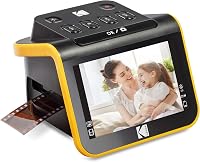
Work out what is the best slide scanner to buy for home use. Compare 8 film and slide scanners, formats, screens and editing, then pick your match.

Compare the best auto feed photo scanner options for large photo collections, with picks for photo batches, delicate prints, mixed documents and limited desk space.

Compare duplex scanners for home use by feeder size, connection, desk space and document workflow to find the right fit for receipts, forms and home office files.
Compare the best home scanner for photos, from fast batch feeders to flatbeds for careful family photo scans. Choose by volume, detail and photo size.

Compare the best scanner for 35mm slides, from quick-feed models for family archives to detailed film scanners with infrared dust removal.
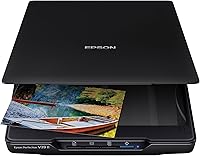
Find the best scanner for home use by matching flatbed, photo, film and document scanners to what you need to digitize, from albums to receipts.
Compare scanners for old photos and documents, from family albums to paper files. See which designs fit fragile prints, large batches and mixed papers.

Compare receipt scanners for home records, tax papers and office batches. See which models fit a desk, travel bag or wireless workflow, plus what to check.